The October payroll was processed today and includes all wages earned between 23rd September and 20th October (4 weeks), and will be paid on Friday 27th October.
Payslips have been sent by email. If you have not already received your payslip by email, please check your email address in TRACKER is correct. The simplest way to amend it is to sign in on any Disclaimer PC as if you were racing.
The November payroll will include all wages earned between 21st October and 17th November (4 weeks), and will be paid on Friday 24th November.
Tuesday, 24 October 2017
Saturday, 1 April 2017
Changes to minimum wages
National Minimum Wage and National Living Wage rates are changing. From 1 April 2017 the revised rates are:
- £7.50 per hour - 25 yrs old and over
- £7.05 per hour - 21-24 yrs old
- £5.60 per hour - 18-20 yrs old
- £4.05 per hour - 16-17 yrs old
These statutory rates apply to the next pay period that starts after 1st April (i.e. for most people's May pay packets), but as we've always done at Teamworks Karting, we will back-date these pay rises to the April payroll (which started on 25th March).

Tuesday, 28 March 2017
March payroll
The March payroll was processed today and includes all wages earned between 18th February and 24th March (5 weeks), and will be paid on Friday 31st March.
Payslips have been sent by email. If you have not already received your payslip by email, please check your email address in TRACKER is correct. The simplest way to amend it is to sign in on any Disclaimer PC as if you were racing.
The April payroll will include all wages earned between 25th March and 21st April (4 weeks), and will be paid on Friday 28th April.
Payslips have been sent by email. If you have not already received your payslip by email, please check your email address in TRACKER is correct. The simplest way to amend it is to sign in on any Disclaimer PC as if you were racing.
The April payroll will include all wages earned between 25th March and 21st April (4 weeks), and will be paid on Friday 28th April.
Monday, 6 March 2017
Cyclescheme
This is a reminder for anyone interested in cycling to work.
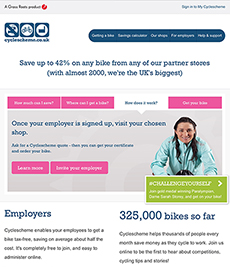
Teamworks has signed up to a scheme that allows you to buy any new bicycle from your gross pay instead of your net pay. This will save you AT LEAST 25%, plus you can pay for the bike by interest-free monthly instalments over 12 months.
It's all designed to encourage people to cycle more, and we think that's a great idea.
If you would like to buy a new bike, please follow the links below. Our employer code is: 56ba39.
Teamworks has signed up to a scheme that allows you to buy any new bicycle from your gross pay instead of your net pay. This will save you AT LEAST 25%, plus you can pay for the bike by interest-free monthly instalments over 12 months.
It's all designed to encourage people to cycle more, and we think that's a great idea.
If you would like to buy a new bike, please follow the links below. Our employer code is: 56ba39.
| ||||||||||||||||||||||||||||||||||||||||||||||||||||||||||||||||||||




Monday, 27 February 2017
Workplace Pensions
This is a reminder to all staff that under the government's Workplace Pension rules we are forced by law to automatically enrol ALL staff in the Workplace Pension who are over 22 and earn more than £833 in any month.
To log in to your pension scheme visit: https://ae.nowpensions.com/DS0A
To activate your account for the first time, you will need your Payroll Number (which is on your payslips) to create your online account. Once set up, you can use this portal to manage your pension scheme or to opt out.
Teamworks has no control over your pension account: if you want to make any changes, opt-out, or anything else, YOU need to contact NOW! Pensions directly. We recommend that you retain copies of your correspondence with NOW! Pensions, so that you can claim refunds of any payments you've made in if you decide to opt-out.
To log in to your pension scheme visit: https://ae.nowpensions.com/DS0A
To activate your account for the first time, you will need your Payroll Number (which is on your payslips) to create your online account. Once set up, you can use this portal to manage your pension scheme or to opt out.
Teamworks has no control over your pension account: if you want to make any changes, opt-out, or anything else, YOU need to contact NOW! Pensions directly. We recommend that you retain copies of your correspondence with NOW! Pensions, so that you can claim refunds of any payments you've made in if you decide to opt-out.
Subscribe to:
Posts (Atom)